Using Pipside
Showing the score on a TV
Show on TV puts the game on a bigger screen: big scores, a crown on whoever's ahead and who leads the hand. It updates by itself the moment you score a hand on your phone. It's part of Pipside Pro.
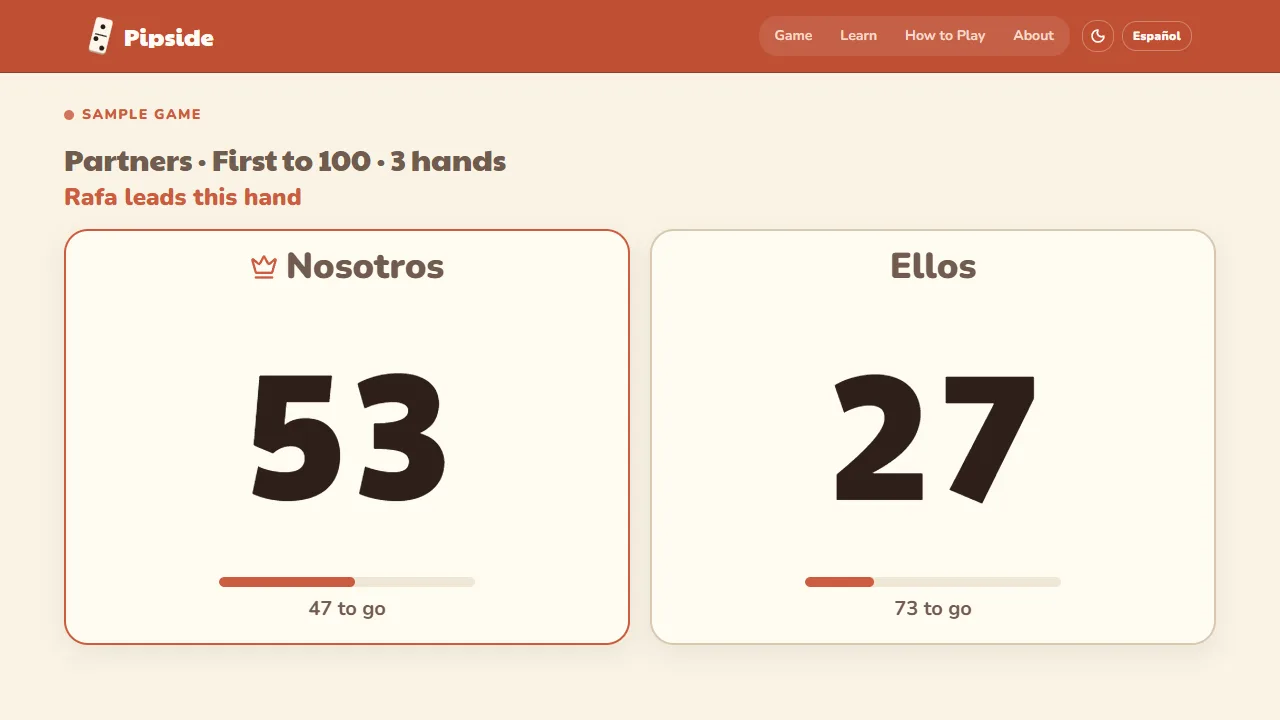
- 1On your phone, during a game, tap Show on TV at the top of the scoreboard, then Start. You get a 6-letter code and a QR code.
- 2On the TV, open its web browser, go to pipside.app/live and type the code with the remote. Or scan the QR code with any phone or tablet.
- 3Keep scoring on your phone as usual. The TV catches up after every hand, all evening, even through a rematch.
Nothing is streamed from your phone
- The TV just opens a web page that keeps itself up to date, so there's no casting, cable or app to set up.
- Your phone can stay in your hand, or go face down on the table between hands.
- Anyone with the code sees names, scores and who leads, nothing else. Tap Stop sharing to close it; it also closes by itself 12 hours after the last hand.
What you need on the TV
- A smart TV with a web browser (most Samsung and LG TVs have one): open the browser and type the address.
- An Amazon Fire TV stick: install the free Amazon Silk browser, then type the address.
- A laptop and an HDMI cable: open the address on the laptop, plug it into the TV and choose Full screen. The most reliable way.
- Chrome on a laptop and a Chromecast: open the address and choose Cast tab.
- Apple TV or Roku: neither has a web browser. Mirror an iPad, Mac or Android phone to the TV and open the address on it.
- No TV? A tablet propped up at the end of the table works just as well, and everyone can scan the QR code on their own phone.
Forgot a word? Glossary
Get the free scoring guide
How to score on one printable page, including the Puerto Rican bonuses, plus a Table Rules page for each game. Download it right away. Then two short welcome emails (a table tip, then what Pipside Pro adds), and about once a month, a little more around the holidays: a tip for your next game and what's new in Pipside.